Free, open source joystick mapper for Windows and Linux

Your whole stick setup
in one app

Joystick Gobloon hides your physical controllers from games, runs virtual joysticks and maps one to the other. It can import your Joystick Gremlin profiles.

Windows installer, portable zip and Linux AppImage. MIT license, no account.

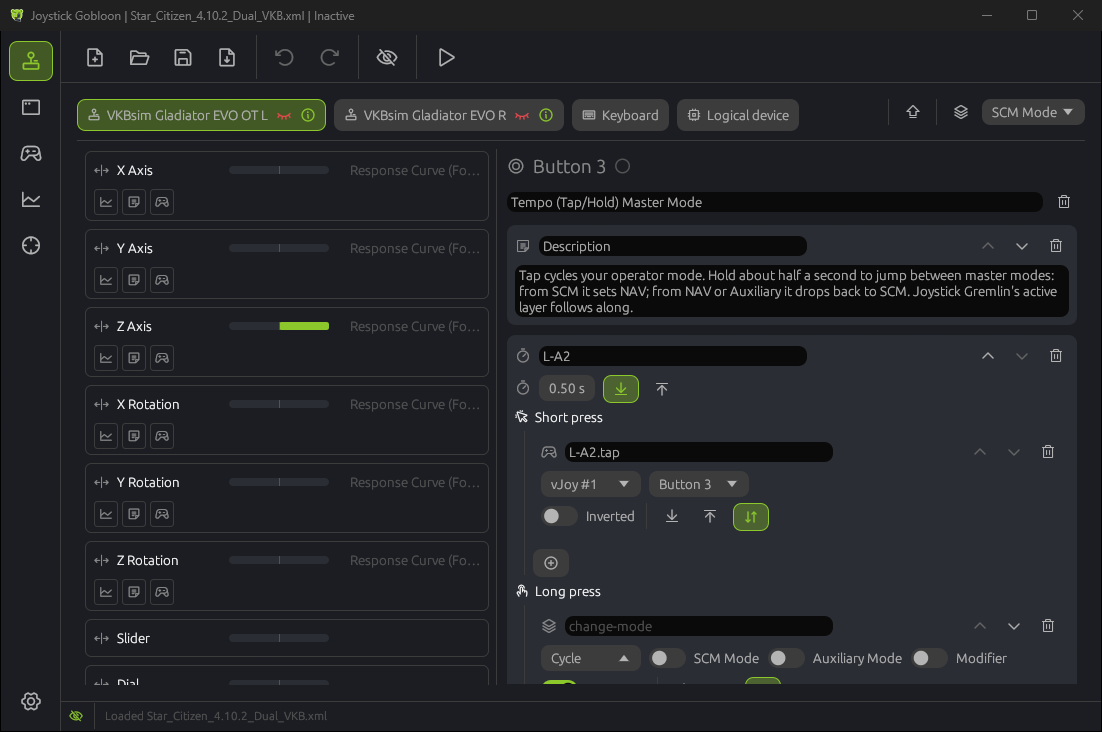
Joystick Gobloon Devices page: the inputs of a flight stick on the left, the actions of the selected button on the right, a short press mapped to vJoy and a long press that changes the mode
  • 23actions for buttons, axes and hats
  • 16vJoy devices with 128 buttons each
  • 7languages built in
  • 2systems: Windows and Linux

The problem

A HOTAS setup used to need three programs open at once

Each one has its own window, its own settings and its own way of failing. Joystick Gobloon replaces their user interfaces with one native app and talks to the same drivers directly.

Before

  • HidHideto hide physical sticks from games
  • vJoy and Configure vJoyto create virtual joysticks
  • A mapping toolto map one to the other

With Joystick Gobloon

  • Hide a stickone click on its eye, in the same window
  • Edit vJoy devicesright in the app, one UAC prompt per change
  • Map and run profilesbuild profiles here or import your old ones

One window for your whole setup. Hide the sticks, press play, fly.

Features

Everything your setup needs, in one fast app

Written in Rust, it reads controllers the moment they change and sits almost idle in the tray.

Keep the profile you already built

Import a Joystick Gremlin profile and it runs. Anything not supported yet is kept in the file, so nothing gets lost.

  • Modes with inheritance and per mode overrides
  • Map controls matches a profile from another PC to your devices in one click
  • Undo and redo for every edit
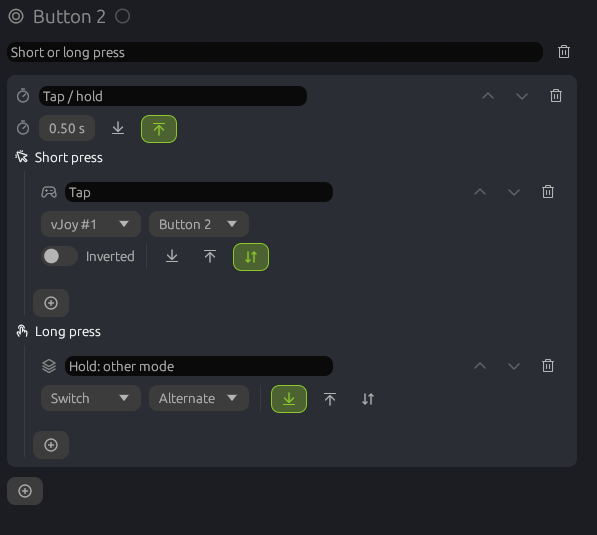
Tempo action editor: a short press and a long press, each with its own actions

One button, four jobs with modifiers

Name a few buttons as modifiers. While M1 or M2 is held, every input with a layer for it runs that layer instead. Nothing gets stuck when you let go in the wrong order.

  • Layers for nothing, M1, M2 and M1 plus M2
  • Additive layers that run together with the base
  • Trim axes that keep their last value
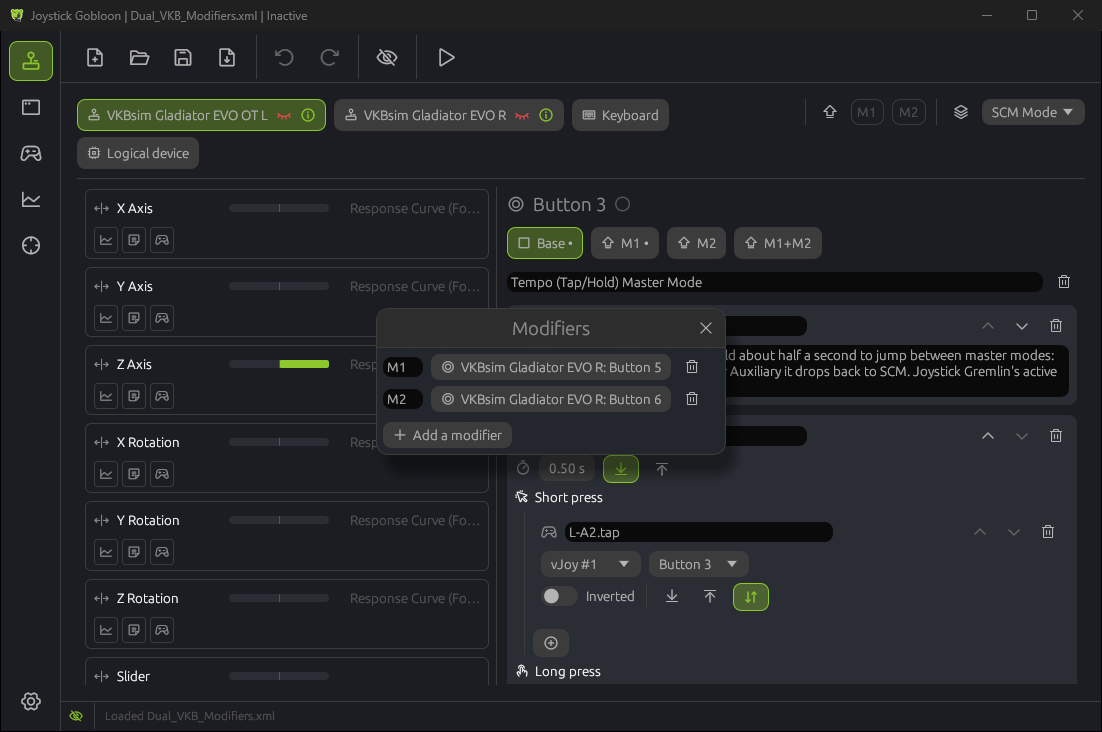
Layers Base, M1, M2 and M1 plus M2 above the actions of a button, next to the Modifiers window

Virtual joysticks without Configure vJoy

Create, change and remove vJoy devices from the app. Each one shows its axes, buttons and hats at a glance, and a built in tester moves them by hand.

  • Up to 16 devices, 8 axes, 128 buttons and 4 hats each
  • A new device starts as a copy of the first one
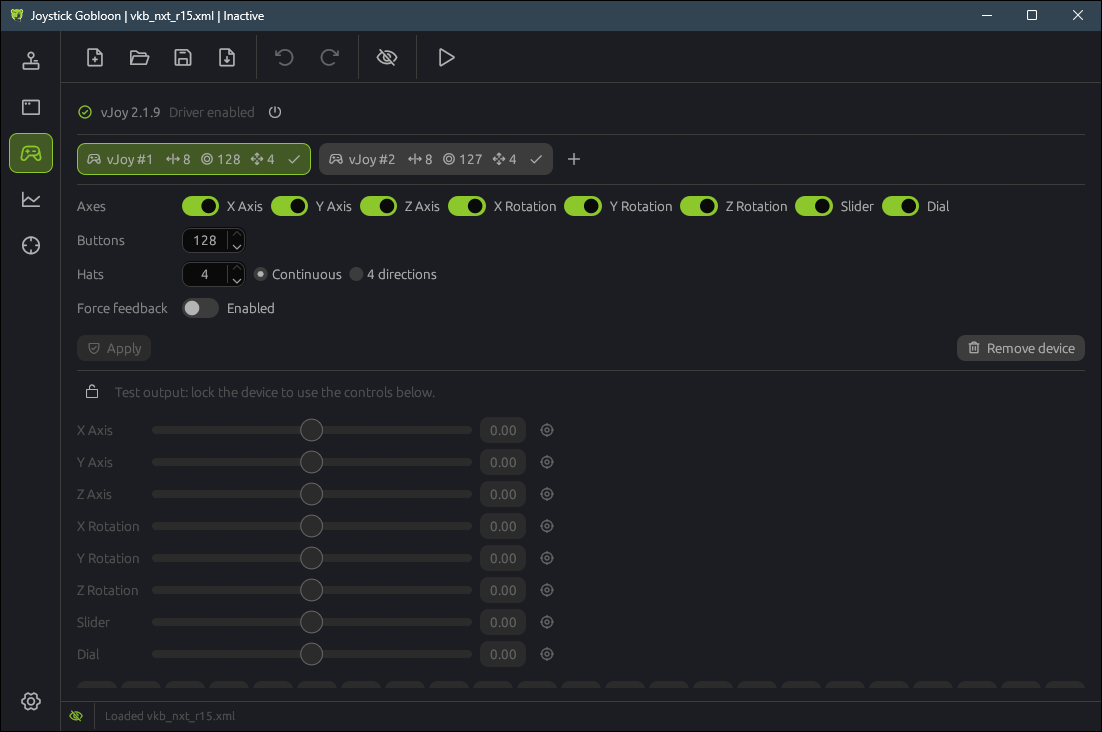
vJoy page: device tabs, the device editor and the output tester

Games see only the virtual stick

Hide a physical controller with one click and stop double inputs for good. Joystick Gobloon still sees it, and you choose which other programs may too.

  • Switch hiding for the whole system from the toolbar or tray
  • HidHide inverse mode supported
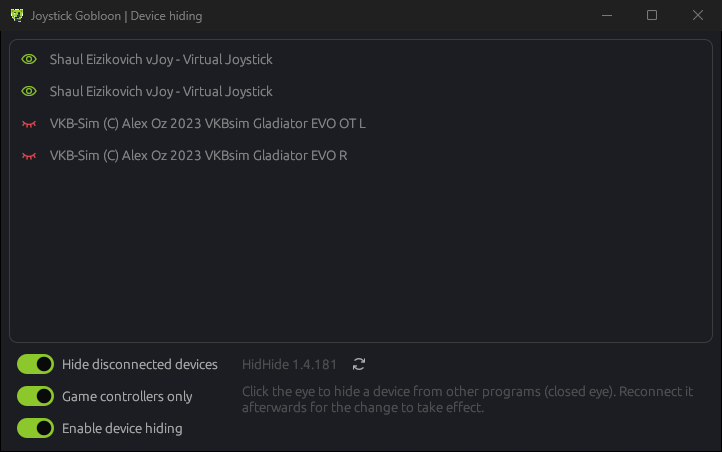
Device hiding window: two flight sticks are hidden, the vJoy devices are visible

See every input move live

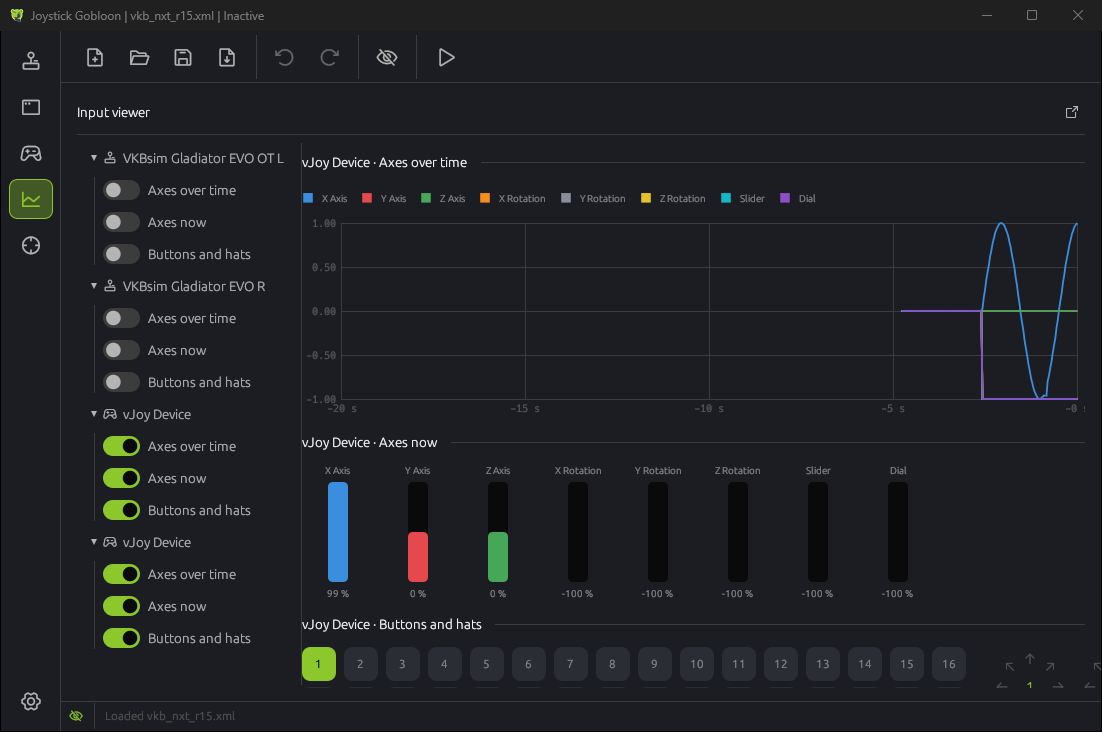
Graphs of every axis, button and hat for physical sticks and vJoy devices alike, in the main window or a window of its own. Calibrate center and end points on the spot.

Input viewer: axes over time, current axis values, buttons and hats of a vJoy device

Actions

23 actions for every input

Stack them on any input. They run top to bottom and pass the value on, so a response curve can shape an axis before it reaches vJoy.

  • Map to vJoy
  • Map to keyboard
  • Map to mouse
  • Map to logical device
  • Response curve
  • Split axis
  • Merge axis
  • Dual axis deadzone
  • Axis delta
  • Tempo
  • Double tap
  • Smart toggle
  • Chain
  • Macro
  • Hat buttons
  • Condition
  • Change mode
  • Pause and resume
  • Load profile
  • Play sound
  • Text to speech
  • Run command
  • Description

Learn every action

How it works

From download to flying in three steps

  1. Install

    Run the installer. It adds the signed HidHide and vJoy 2.1.9.1 drivers when they are missing. On Linux, start the AppImage and click Grant access once.

  2. Set up your profile

    Start a new profile, or import a Joystick Gremlin one from the toolbar. Made on another PC? Map controls matches it to your sticks.

  3. Hide and activate

    Hide the physical sticks with the eye button and press play. The game now sees only your virtual joysticks.

Windows and Linux

Same app and profiles on both systems

What does the work underneath differs, and so do the limits. Linux runs on desktop distributions and the Steam Deck desktop mode, on X11 and Wayland.

Feature Windows 10 and 11 Linux x86_64
PackageInstaller with drivers, or portable zip. Updates itself.AppImage. Updates itself.
Virtual joysticksvJoy: up to 16 devices, 8 axes, 128 buttons, 4 hats eachuinput, no driver: devices appear when a profile starts; 8 axes, 95 buttons, 4 hats each
Device hidingHidHide: hidden for every program, even when the app is closedExclusive reading while Joystick Gobloon runs; raw HID readers are not covered
Physical controllersDirectInput: all buttonsevdev: up to 80 buttons per device
Keyboard keys as inputsYesNo, key and mouse output works
Text to speechWindows voicesspeech dispatcher

FAQ

Questions before you switch

Is Joystick Gobloon free?

Yes. It is open source under the MIT license. There is no account, no trial and nothing to buy.

Can I import my Joystick Gremlin profiles?

Yes. Open one from the toolbar and it runs. Anything not supported yet is kept as it was in the file.

Do I still need HidHide and vJoy installed?

You need the HidHide and vJoy drivers on Windows, and the installer adds them when they are missing. You do not need their own user interfaces.

Does it need administrator rights?

Only to install the drivers and when you change vJoy devices, with one UAC prompt per change. Everyday use runs as a normal user.

Does it run on the Steam Deck?

Yes, in desktop mode, like on any x86_64 Linux desktop. Make the AppImage executable, start it and click Grant access on the Devices page once.

Why does Windows SmartScreen warn on the first start?

Code signing through SignPath is being set up, and new releases need some downloads before SmartScreen trusts them. Choose More info, then Run anyway.

Is it ready for daily use?

It is in alpha. The daily features are in place and used every day with a dual stick setup, but expect rough edges. Bugs reported on GitHub get fixed quickly.

Can I try it without installing anything?

Use the portable zip: unpack it anywhere and start it. Delete the folder and it is gone. On Linux the AppImage is a single file.

Which languages does it speak?

English, Русский, Deutsch, Español, Français, 简体中文 and 한국어. Another language is one text file: copy lang/en.ftl, translate it and put it next to the app.

Free for everyone, kept going by donations

Joystick Gobloon has no ads, no paid tier and no tracking. If it saved you an evening of setup, a donation helps pay for the time that goes into every release.

Donate with PayPal

Join the community

Ask questions, share your profiles, report bugs and hear about new releases first on the Joystick Gobloon Discord server.

Join on Discord

Bring your profile.
Leave the three tools behind.

Free, open source and portable if you want it. Import a profile or build one from scratch.